Feedback on the following chapter: https://www.phplist.org/manual/ch016_user-attributes.xhtml
I am receiving the following error message when I try to edit user attributes and cannot find any troubleshooting information in the documentation – please direct me to the necessary instructions. Thanks.
Error: You do not have sufficient access
Hi, are you super-admin or just admin?
I have been using phplist for over 10 years and did not realize there is a difference … would you be so kind as to point me to a link where I can set myself up as a super-admin? There is only one admin and I am the only person using the system.
Thanks for your super-quick reply!
Sounds like you are already super-admin to me. You can create sub-admins but they can’t share lists etc. The best thing is for you to make a new support thread and describe the issue there, the manual doesn’t really deal with these complex individual issues.Best
a
x
fyi, looks like all the images on this documentation page are broken. ie:
@maltfield Thanks for reporting – how did you navigate to that URL? I don’t recognise the PhplistHacks.html part, and when I click the link it shows the homepage and not where the missing image should be or a 404.
sorry, it’s on this page:
Edit: hmm…looks fine on this page:
I guess google brought me to the PhplistHacks.html page. What is that clone?
Edit2: Guess it’s near-infinite:
@maltfield That’s strange; looks like the Apache mod_rewrite rules are too lenient; I’ll look into it
I have a true/false attribute, when i sync my membership database records with 0 are not updated to the value in the import file.
@PaulRoberts Do you mean a “checkbox” attribute? There seems to be a problem with importing any attribute value that php treats as false. Try making this change to file lists/admin/actions/import2.php
line 103 should be
if (!empty($values[$val['index']])) {
replace by
if (isset($values[$val['index']])) {Thanks the change made no difference.
I have an attribute value ‘Member’ which is 1 or 0 in a tab delimited file from an export from an MS access database for club membership.
If it is 1 it is imported and updated, if zero it is not the attribute is listed under Summary but not under Test output and the values are not updated.
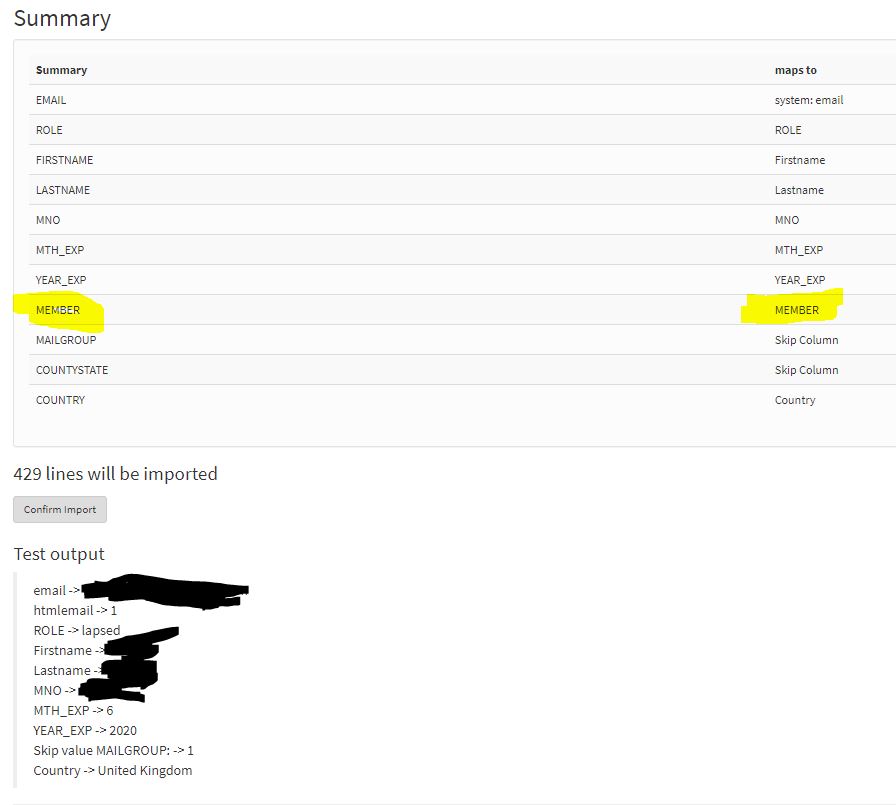

@PaulRoberts Yes, the test output doesn’t show the field when the value is 0 but the subscriber record was updated in my test.
Before importing the subscriber profile showed

Then after importing

The Subscription tab of the Subscriber profile doesn’t always show the change though.